Ultra-Fast & Secure P2P File Transfer
Send. Receive.
Without Limits.
Transfer gigabyte to terabyte files directly between PCs, Macs, and Android phones across local Wi-Fi (LAN) or the internet (WAN). Zero cloud uploads, no file size limits, 100% private & end-to-end encrypted.
Transfer files in 3 simple steps
No Google Drive upload limits, no mandatory sign-ups, no speed throttling.
-
1
Select Files or Right-Click
Drag and drop any files into Raydrop, or directly right-click any file in Windows 11 File Explorer and select Send with Raydrop.
-
2
Pick Target Computer
Devices on the same Wi-Fi or LAN are automatically discovered via mDNS. For remote transfers (WAN), simply enter the target device code.
-
3
Direct Instant Transfer
Files stream directly peer-to-peer at your maximum Wi-Fi or LAN cable bandwidth. File integrity is verified in real-time with BLAKE3.
Built for Speed & Privacy
Modern peer-to-peer file transfer engineered for security, speed, and simplicity.
-
Zero Cloud Storage & 100% Privacy
Your files are never stored, cached, or uploaded to any cloud server. The signaling server only assists initial peer connection via STUN/UDP.
-
Maximum Gigabit Speed
No speed throttling or daily quotas. Maximize your full gigabit LAN cable bandwidth (up to 110+ MB/s) or high-speed Wi-Fi 6 network.
-
Cryptographic BLAKE3 Verification
Every chunk is verified cryptographically using the ultra-fast BLAKE3 hashing algorithm, guaranteeing files arrive 100% intact without corruption.
-
Auto-Resume & Fault Tolerant
Wi-Fi dropped or laptop went to sleep? Transfer automatically resumes from the last completed chunk without starting over from 0%.
-
Native Windows 11 Right-Click
Native Windows 11 context menu integration. Just right-click any file directly without needing to hold Shift or open extra menus.
-
In-App 1-Click Auto Update
Automatically checks for new releases on GitHub and lets you upgrade directly from within the app with a single click.
-
Encrypted P2P Chat & Media Sharing
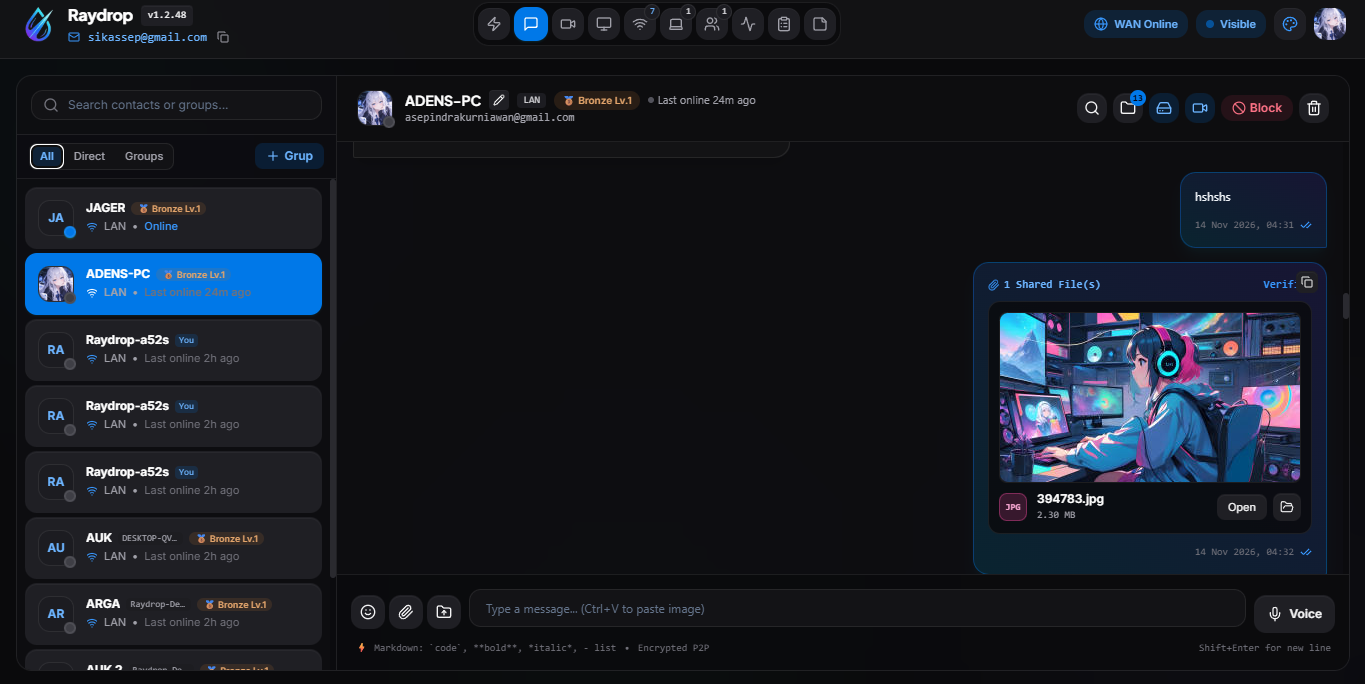
Directly chat with contacts using rich Markdown and code formatting. Send photos, videos, documents, and multiple files right inside chat without any server database storage.
-
IDM Multi-Segment Accelerator & Chrome Extension
Accelerate web downloads with 8-stream parallel chunks. The official Raydrop extension automatically catches browser downloads and routes them directly to the native desktop accelerator.
-
BitTorrent Swarm Engine (Magnet Deep Linking)
Full BitTorrent engine integrated into Raydrop. Click any magnet link in Chrome, Edge, or Firefox to trigger native peer-to-peer torrent downloads with live swarm metrics.
-
Unattended Remote Desktop & Pre-Login Service
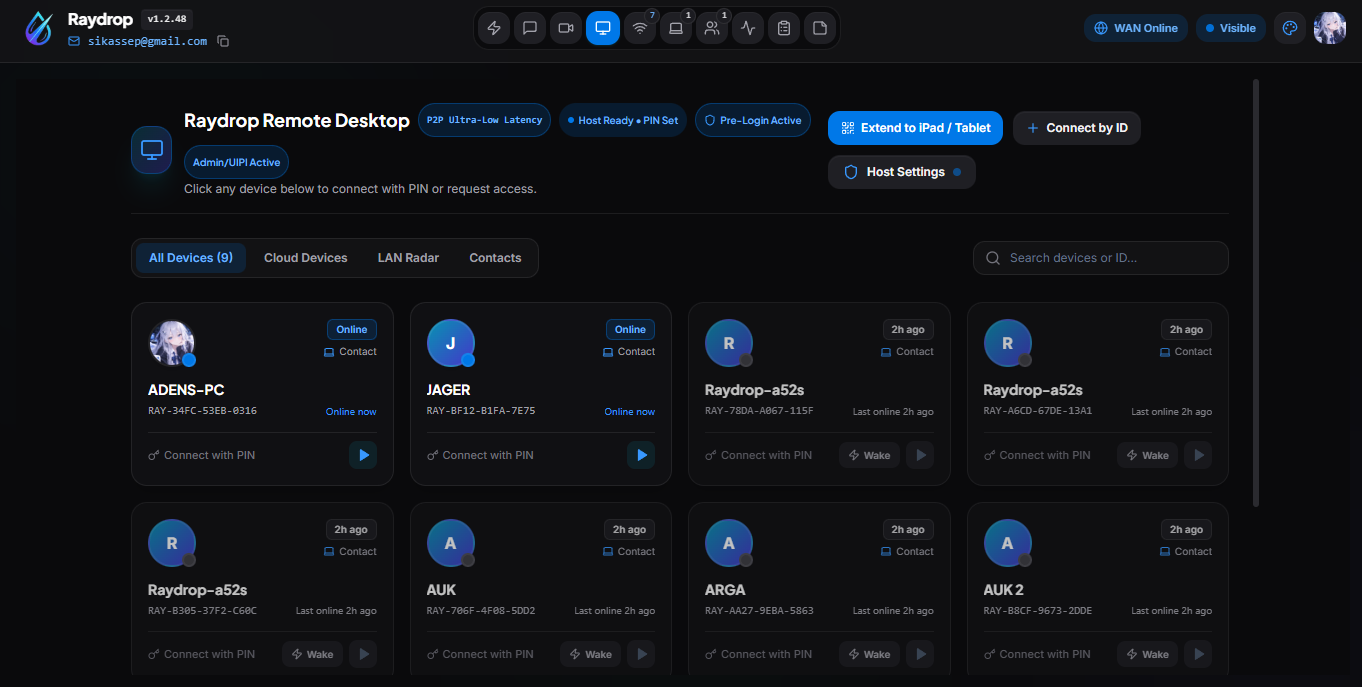
Control remote PCs at 60fps with native zero-prompt capture, WASAPI system audio streaming, multi-monitor switching, remote power controls, and a Windows System Service for pre-login PIN screen access.
-
Extend to iPad & Tablet via QR Code
Scan a local QR code from any iPad, iPhone, or Android tablet to open a zero-install wireless touch display in Safari/Chrome with full touch-to-mouse support.
-
Carbon Azure, Annotations & WAN Wake-on-LAN
Sleek Carbon Azure default theme, live screen annotations, Hidden & Offline private mode, and WAN Wake-on-LAN (DDNS + custom port) with automatic MAC detection.
-
System Monitor, Analytics & Rank EXP
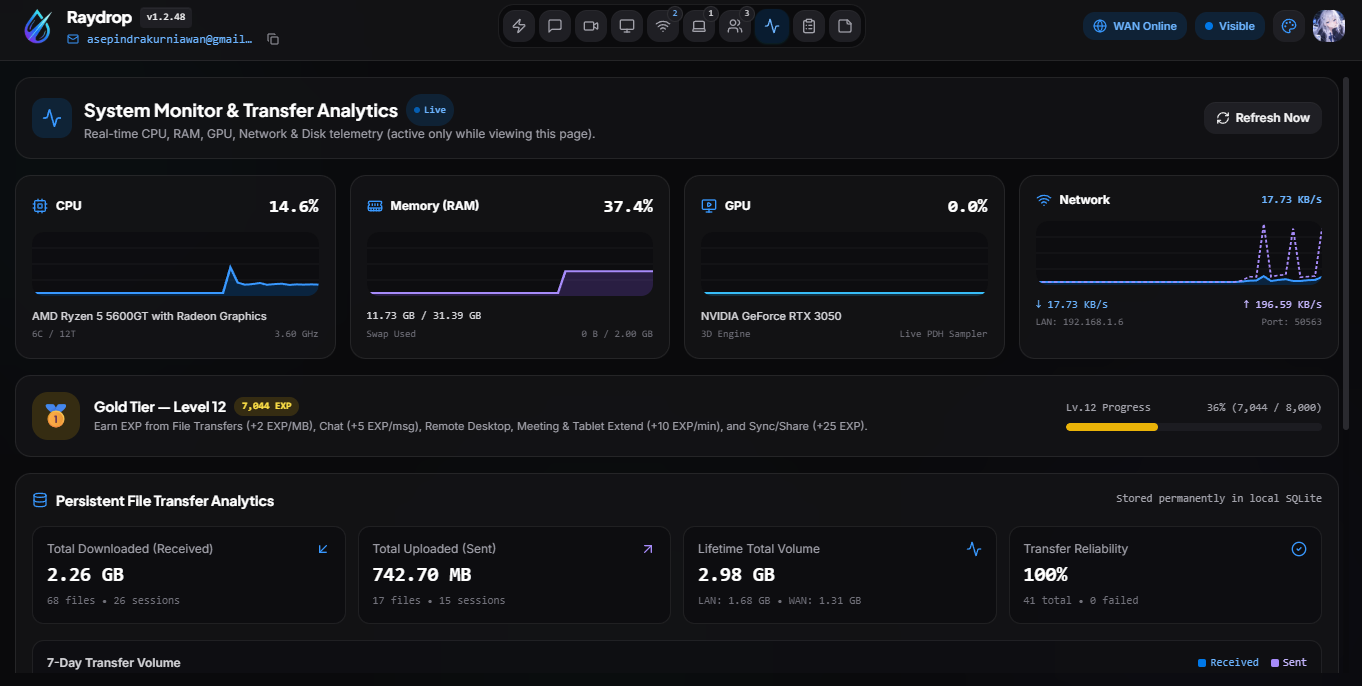
Real-time CPU, RAM, GPU, Disk & Network charts with persistent lifetime transfer analytics, plus Rank & EXP badges (Bronze to Mythic) across Contacts, Chat, and Meetings.
-
Copy History (Win+V) & Keep-Style Notes
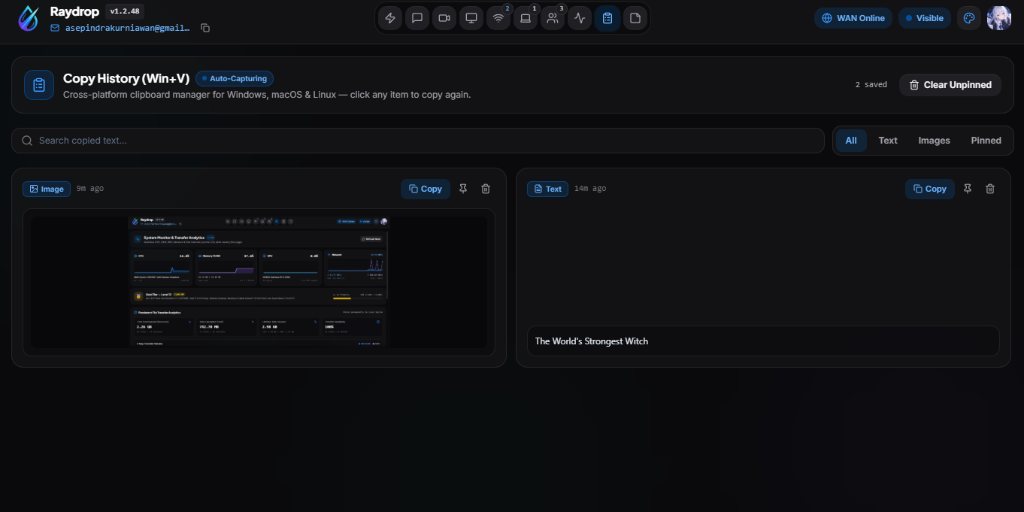
Cross-platform clipboard history for Windows, macOS & Linux, paired with Google Keep-style notes featuring interactive task checklists, labels, and Ctrl+V image paste.
-
File Converter, Image Studio & Mobile Icons
Convert PNG↔ICO/JPG/WEBP & DOCX↔PDF, resize/compress images, generate Android & iOS app icon ZIP packs, and access directly from Explorer right-click menu.
See Raydrop in Action
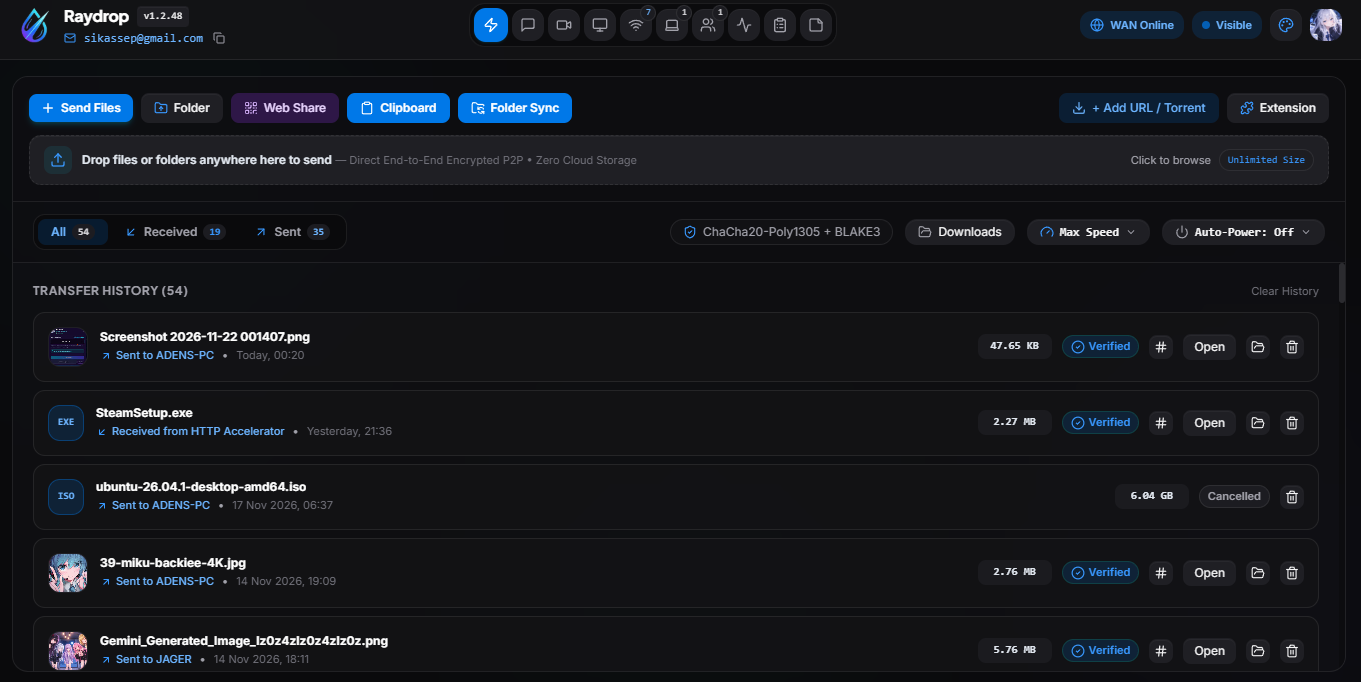
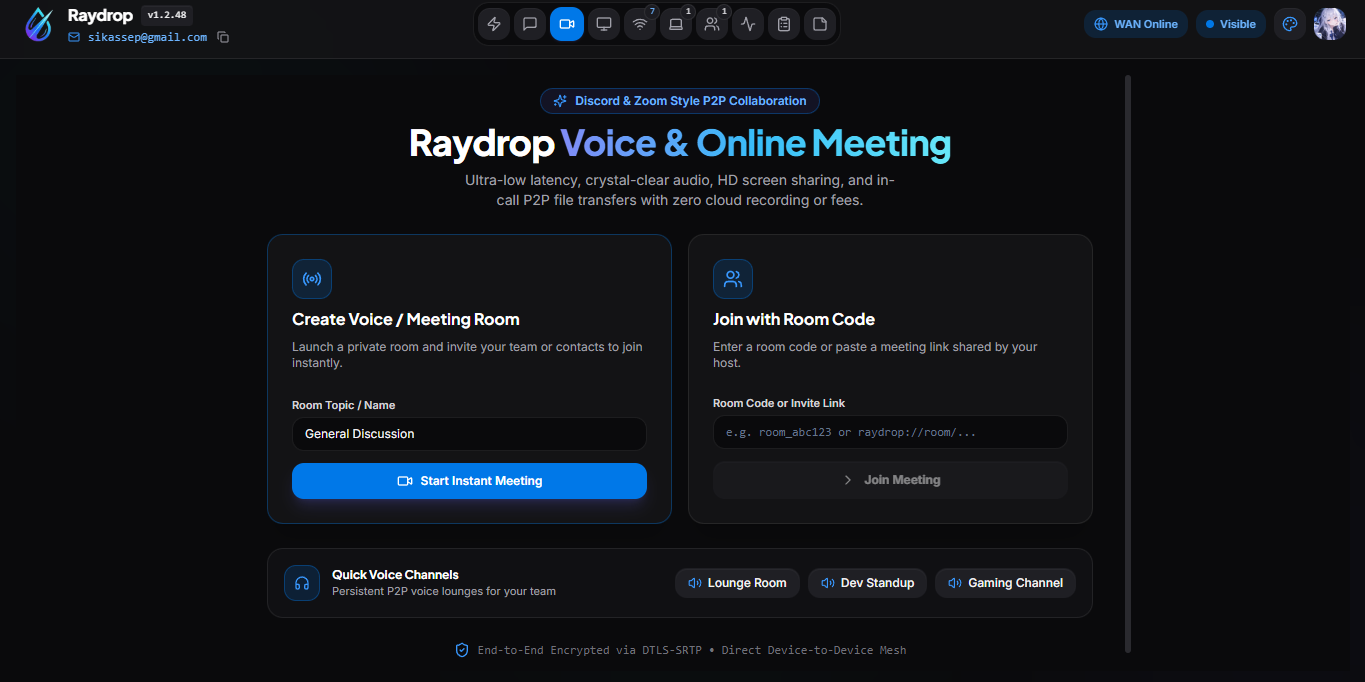
Clean dark workspace built for high-speed P2P transfers, remote desktop, online meetings, encrypted chat, and real-time system monitoring.
Download Raydrop
Available natively on Windows, macOS, Linux, and Android. Always free and open-source.